使用kong的几个基本概念。
kong的几个概念
Upstream
Upstream 对象表示虚拟主机名,可用于通过多个服务(目标)对传入请求进行负载均衡。
Target
目标的IP地址/主机名,其端口表示后端服务的实例。每个上游都可以有多个 Target,并且可以动态添加 Target。
Service
服务实体是每个上游服务的抽象。服务的示例是数据转换微服务,计费API等。 服务的主要属性是它的 URL(其中,Kong 应该代理流量),其可以被设置为单个串或通过指定其 protocol, host,port 和path。 服务与路由相关联(服务可以有许多与之关联的路由)。 Service可以是一个实际的地址,也可以是Kong内部提供的Upstream组件关联,由Upstream将请求转发到实际的服务。
Route
路由实体定义规则以匹配客户端的请求。每个 Route 与一个 Service 相关联,一个服务可能有多个与之关联的路由。 在kong中,route在service里面添加。
Consumer
Consumer 对象表示服务的使用者或者用户。
kong相关概念的操作
Upstream
和Upstream相关的重要配置有:
- 负载均衡
- 健康检查
负载均衡
ring-balancer是kong提供的负载均衡器。支持以下算法:
- round-robin (默认)
- consistent-hashing
- least-connections
每个upstream都有自己的ring-balancer。
一致性哈希和RR算法,通过配置项切换:
When using the consistent-hashing algorithm, the input for the hash can be either none, consumer, ip, header, or cookie. When set to none, the round-robin scheme will be used, and hashing will be disabled.
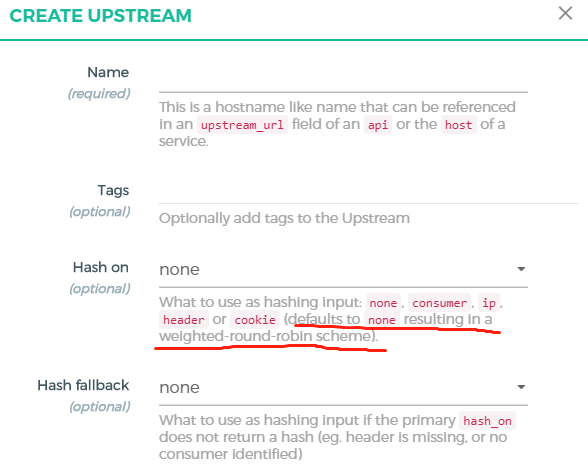
slot的配置,至少每个target分配100个slots。slots越多,随机分布效果越好,但是添加/删除target的维护成本越大。
The number of slots to use per target should (at least) be around 100 to make sure the slots are properly distributed. Eg. for an expected maximum of 8 targets, the upstream should be defined with at least slots=800, even if the initial setup only features 2 targets.
The tradeoff here is that the higher the number of slots, the better the random distribution, but the more expensive the changes are (add/removing targets)
健康检查
健康检查:
- 主动检查(active):定期检查 target 中指定的 Http 或 Https 端点,并根据其响应确定 target 的运行状况
- 被动检查(passive):也称为断路器,Kong会分析正在运行的代理流量,并根据其响应请求行为确定 target 的运行状况
健康检查仅作用于活动状态的 target,但是不修改Kong数据库中 target 的活动状态。 不健康的 target 不会从负载均衡器中移除,因此在使用Hash算法时,不会对平衡器布局造成任何影响(它们只是被跳过)。
主动健康检查器可以在 target 恢复健康之后自动恢复流量;但是被动健康检查器不能。 主动健康检查器需要一条URL路径可以访问,作为探测的端点(通常简单配置为"/");被动检查器不需要这样的配置
Target
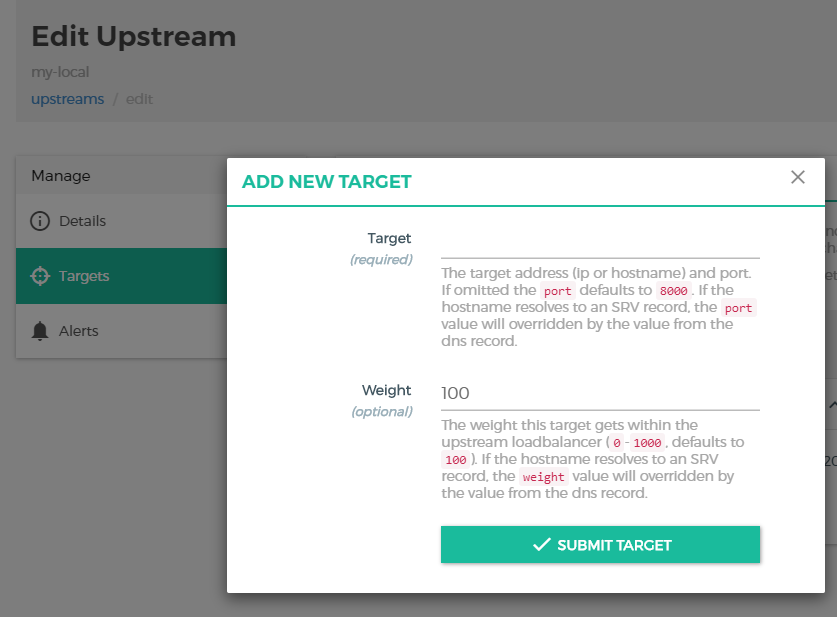
target是upstream下真实的服务器端点,配置ip和port。
Service
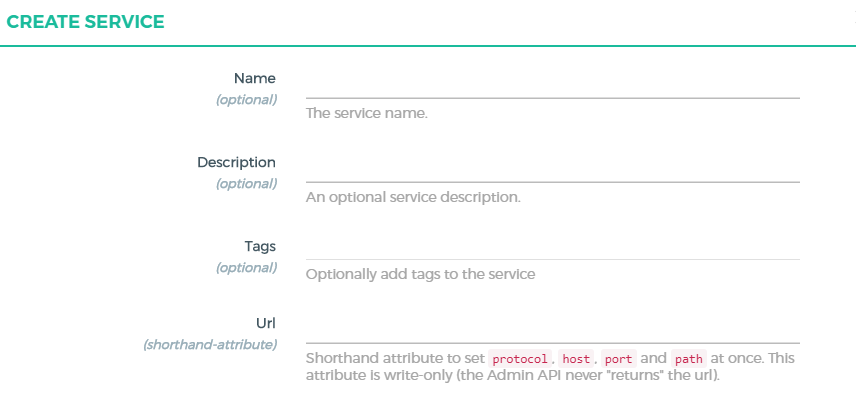
url是protocol、host、port、path的缩写。
Route
Route要在Service中创建! Route要在Service中创建! Route要在Service中创建!
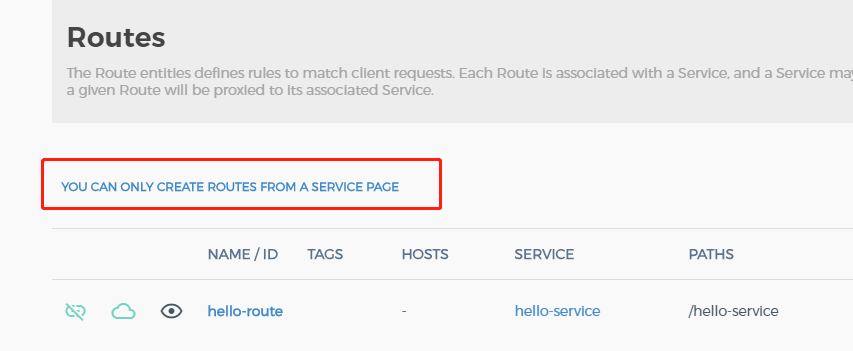
这里有个操作上的坑,多选项的配置,要使用回车键才能正常录入!

Route上有2个配置项值得留意:Strip Path和Preserve Host,都会影响访问upstream。
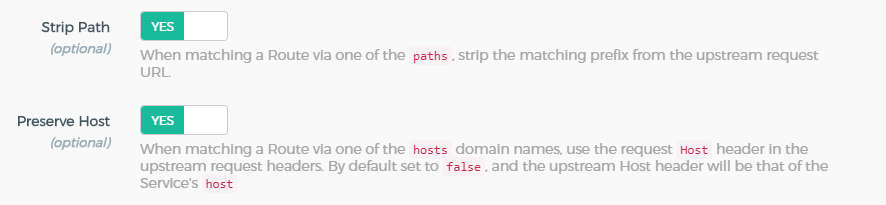
Strip Path
启用strip_uri属性来指示Kong在代理此API时,在上游请求的URI中不应包含匹配的URI前缀。
GET /service/path/to/resource HTTP/1.1
Host:
kong代理到上游服务的真实uri为(此时的uri不包含uris中配置的内容,少了/service部分)
GET /path/to/resource HTTP/1.1
Host: my-api.com
Preserve Host
Preserve Host:当启用代理时,KONG默认将API的 upstream_url 的值配置为上游服务主机的 host 。
客户端发送请求:
GET / HTTP/1.1
Host: service.com
- Preserve Host=fase
{
    "name": "my-api",
    "upstream_url": "http://my-api.com",
    "hosts": ["service.com"],
}
KONG会从API的upstream_url中提取HOST值,在做代理时,会向上游服务发送类似的请求:
GET / HTTP/1.1
Host: my-api.com
- Preserve Host=true
{
    "name": "my-api",
    "upstream_url": "http://my-api.com",
    "hosts": ["service.com"],
    "preserve_host": true
}
KONG将会保留客户端发送来的HOST值,在做代理时,会向上游服务发送以下的请求:
GET / HTTP/1.1
Host: service.com
验证
一个名为my-local的Upstream,指向物理服务器,提供hello222接口的实现。
一个名为hello-service的Service;url为http://my-local。
一个名为hello-route的Route;设置path为/hello-service。
kong默认使用8000端口访问http服务:
curl http://<kong ip>:8000/hello-service/hello222