背景
rel字段用于描述链接和当前URL的关系。 学习seo的时候,发现链接的rel字段有几个属性,记录下来。
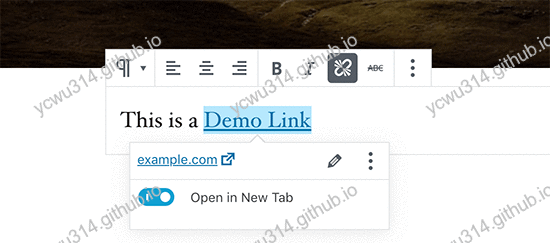
external
告诉爬虫这是一个外部链接。标准的html doctype写法。效果等同于target="_blank"。
nofollow
nofollow告诉爬虫不要跟踪这个链接,不会分享pagerank权重。
最初由google提出,用于解决垃圾链接。比如热门站点留言区发一条留言指向自己的网站(从热门站点产生了外链到不知名站点)。
noreferer
noreferer告诉浏览器,打开该链接时不发送当前站点路径作为referer字段。在html规范中,referer字段用于来源跟踪。因此,使用noreferer能够提高打开外链时的隐私安全。
noopener
在新窗口打开链接,通常的写法
<a href="example.com" target="_blank">
然而,这样有很大的安全和性能隐患!
引用google developers上的文章:网站使用 rel=“noopener” 打开外部锚
当您的页面链接至使用 target="_blank" 的另一个页面时,新页面将与您的页面在同一个进程上运行。 如果新页面正在执行开销极大的 JavaScript,您的页面性能可能会受影响。
此外,target="_blank" 也是一个安全漏洞。新的页面可以通过 window.opener 访问您的窗口对象,并且它可以使用 window.opener.location = newURL 将您的页面导航至不同的网址。
这篇文章讲到noopener的好处:The performance benefits of rel=noopener
However, due to the synchronous cross-window access the DOM gives us via window.opener, windows launched via target="_blank" end up in the same process & thread. The same is true for iframes and windows opened via window.open.
rel=“noopener” prevents window.opener, so there’s no cross-window access. Chromium browsers optimise for this and open the new page in its own process.
noopener使得外部链接在独立的进程中打开。新窗口window.opener会为null。
实践
- 使用
hexo-autonofollow插件
npm install hexo-autonofollow --save
也有另一个插件hexo-nofollow,但是截至2019.8.15,这个插件的html转义有问题,如果结合neat-html就会报错。因此使用hexo-autonofollow。
- 修改项目的
_config.yml
nofollow:
  enable: true
  exclude:
    - 'ycwu314.github.io'
    - 'ycwu314.gitee.io'
- 查看生成的链接
<a href="https://developers.google.com/web/tools/lighthouse/audits/noopener" rel="external nofollow noopener noreferrer" target="_blank">网站使用 rel=”noopener” 打开外部锚</a>